Edit view
The Edit view in Massive XL lets you adjust every detail of your sound.
Edit view lets you adjust every detail of your preset and explore sounds by creating new combinations of modules and Modulators.
Click Edit in the Header to open Edit view.

Edit view consists of the following areas:
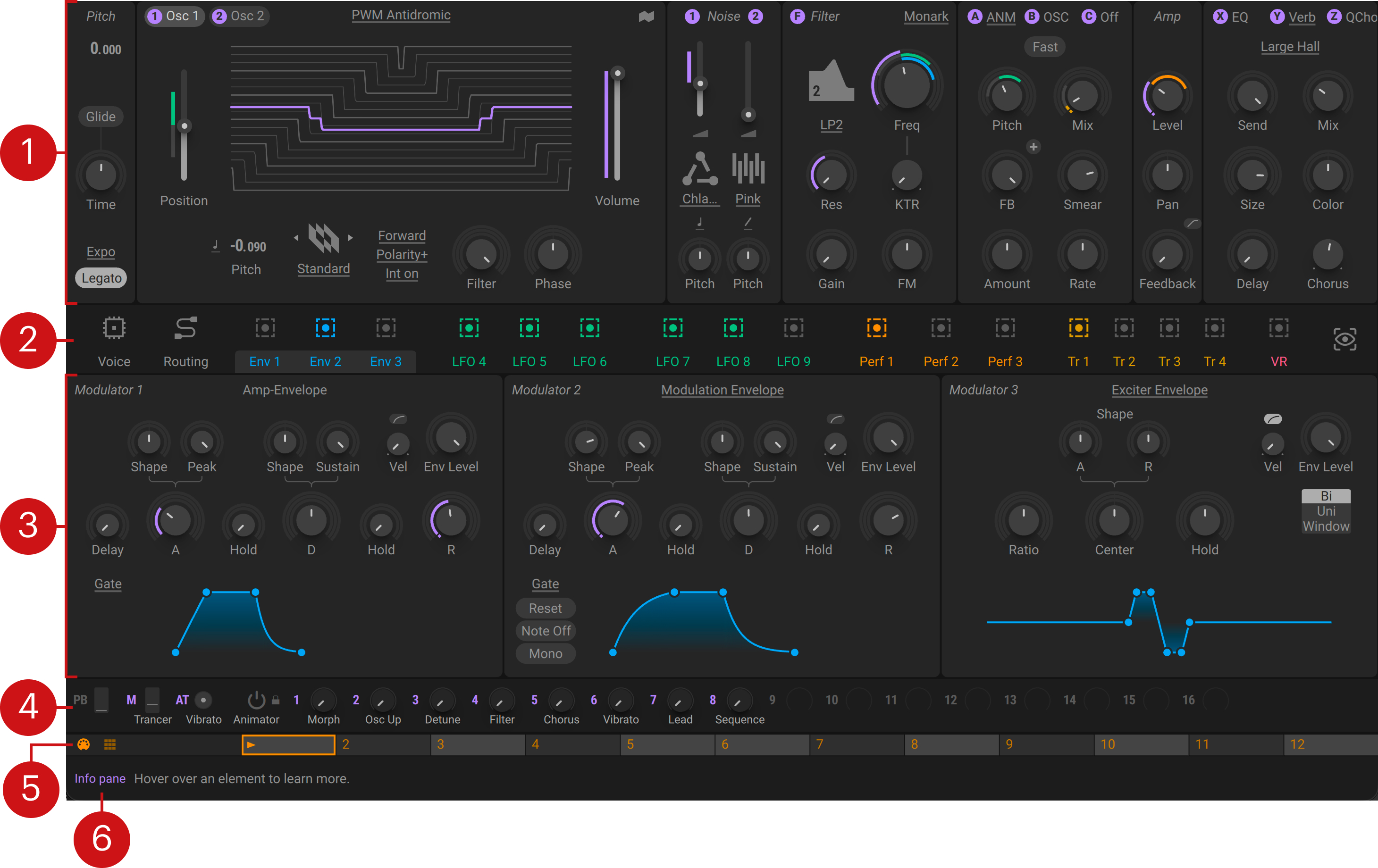
Modules: The generators and processors used to build your patch. You can freely connect them on the Routing page to implement different synthesis techniques.
Pitch: Global tuning and glide settings. You can adjust the tuning in semitones and cents, and add a glide effect (portamento).
Wavetable oscillators: The two Wavetable oscillators at the heart of Massive XL. You can explore wavetables and add phase modulation.
Noise: Two noise sources with flexible playback options. You can use them for textures, percussive elements, and one-shot samples.
Filter: Virtual analog and digital filters that cover a wide range of applications. You can balance the tone, or sculpt and transform sounds.
Inserts: Three flexible generators or processors. You can use them to stack oscillators, distort sounds, or add effects.
Amplifier: The main output amplifier. You can adjust the level and panning, and add chaos to your sounds using feedback.
Effects: Three end-of-chain effects with flexible routing. You can select from spatial, saturation, and modulation effects.
Navigation bar: The central place to access the different pages in the editor, and assign modulation. Visualization options help you keep track of what is going on in your patch.
Voice page: Shows the Voice page in the editor, letting you manage voicing and polyphony.
Routing page: Shows the Routing page in the editor, letting you freely arrange and connect modules.
Modulation: Lets you access and assign Modulators.
Editor: All the options and controls of the page you have selected in the Navigation bar. Set monophonic or polyphonic behavior as well as unison and harmonization on the Voice page, arrange and connect modules on the Routing page, or dive deep into any of the Modulators.
Macro bar: Global controls including 16 Macros, Pitch Bend, the Modulation wheel, and Aftertouch. You can find more information in Macros.
Remote Octave bar: Options and key switches for controlling the Performers. You can find more information in Remote Octave.
Info pane: A brief description for any control you hover your mouse over.
Note
Edit view is not available in Massive XL Player.
Basic concepts
This section introduces basic concepts and key features that are fundamental to Edit view in Massive XL.
Voice
A voice consists of all components required by a synthesizer to create the sound of a single note. Massive XL is a polyphonic instrument, meaning that it can play multiple voices at the same time. In basic polyphonic operation, each voice corresponds to a note event. For example, when playing a triad chord, three voices will sound simultaneously. Each voice is processed independently, so every note can have different movements and articulation in the sound.
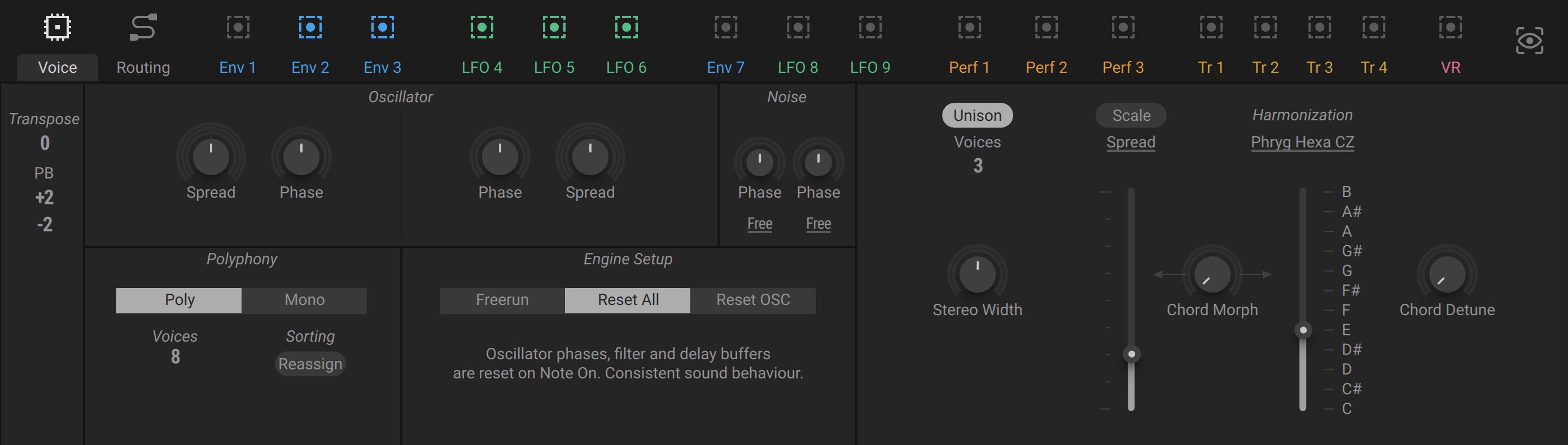
On the Voice page, you can define how the instrument responds to note events and how they are allocated to the available voices. Expanding on these basic options, advanced Unison and Scale features make it possible to use the voices as tonal clusters and to form complex chords. You can find more information in Voice page.
Routing
Routing enables you to create or change the signal path of a synthesizer. In Massive XL, you can freely route signals between the individual components of a voice, including sound generators and processors. This modular signal path facilitates a wide range of different synthesis techniques, giving you the freedom to design and explore sounds without constraints. You can use and combine techniques like wavetable synthesis, FM synthesis, subtractive synthesis, physical modeling, and various types of waveshaping, or distortion.
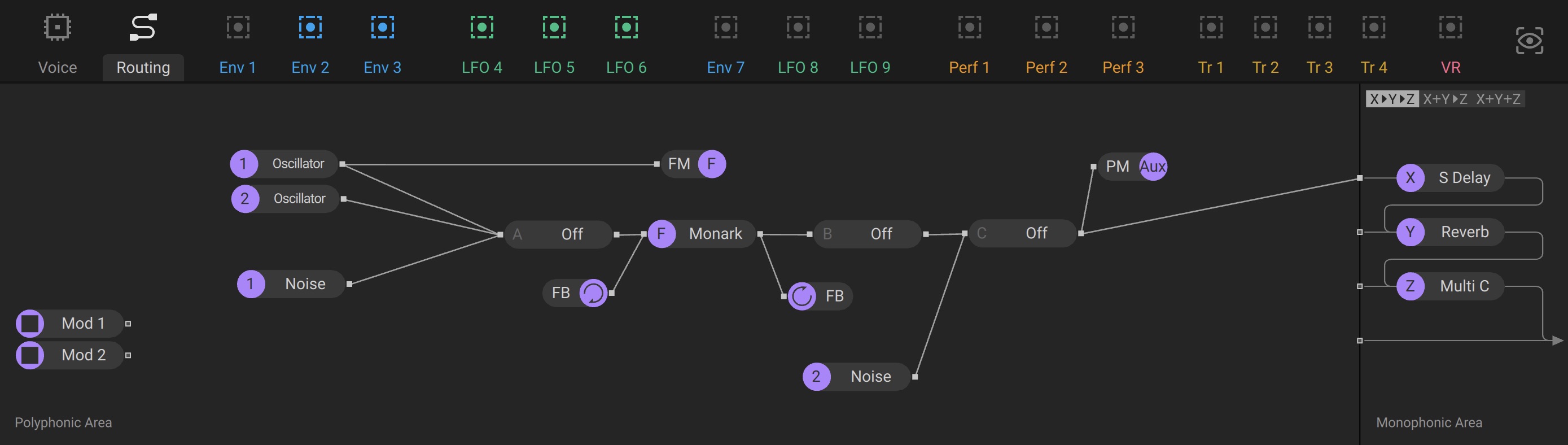
On the Routing page, you can define the structure of the voice in the Polyphonic Area, which contains modules like the Wavetable Oscillators, the Filter, and the Inserts. All polyphonic voices are summed and sent to the Monophonic Area with three additional Effects. You can find more information in Routing page.
Modulation
Massive XL puts focus on the concept of modulation by combining flexible Modulators with an intuitive system for modulation assignment. Modulation adds movement to your sound by changing controls over time. This movement defines the character and expression of a sound as you play it, from the contour of its amplitude, or volume level, to its timbral qualities.
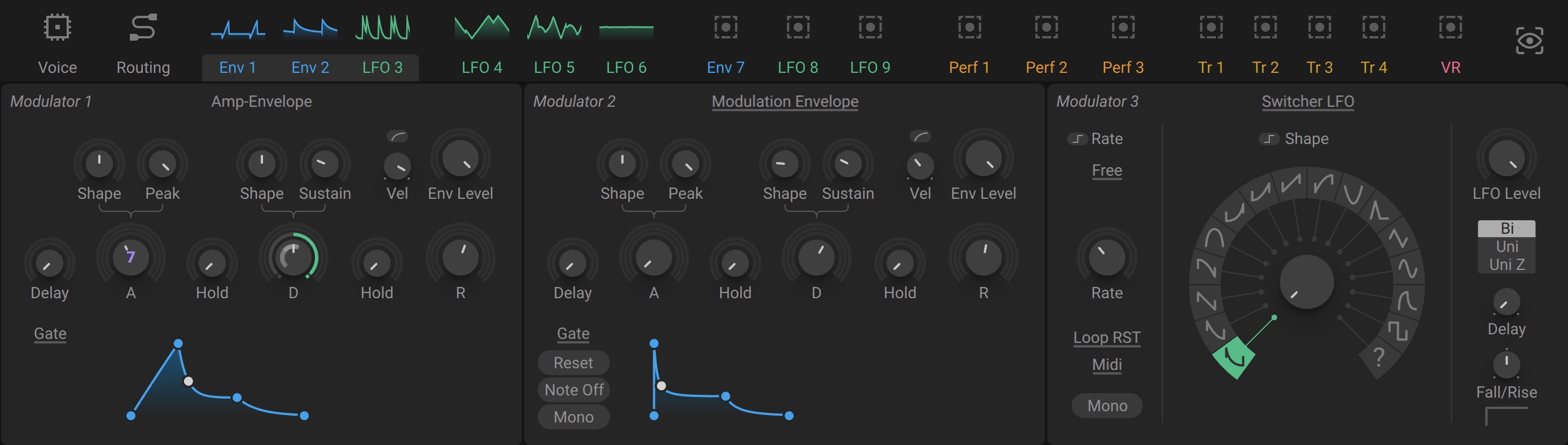
You can assign Modulators to controls directly in the user interface by using drag and drop. Color-coded rings or lines next to controls indicate the Modulator and the amount of modulation applied to the control. You can find more information in Modulation.
Macros
As additional control sources, Massive XL provides a set of 16 Macros plus pitch bend wheel, modulation wheel, and aftertouch. Each Macro can be assigned to any number of controls, or take over the full range of a single control. Additionally, you can play and animate Macros 1-8 using the Morpher in Play view.

You can assign Macros to controls directly in the user interface by using drag and drop. Purple rings or lines next to controls indicate the Macro assignment and its amount. You can find more information in Macros.
Performers
Among the available Modulators are the three Performers, which are specialized sequencers for modulation. They provide a flexible way to apply complex, rhythmical movements to controls. Performers can be controlled using the Remote Octave, which switches between patterns key switches.
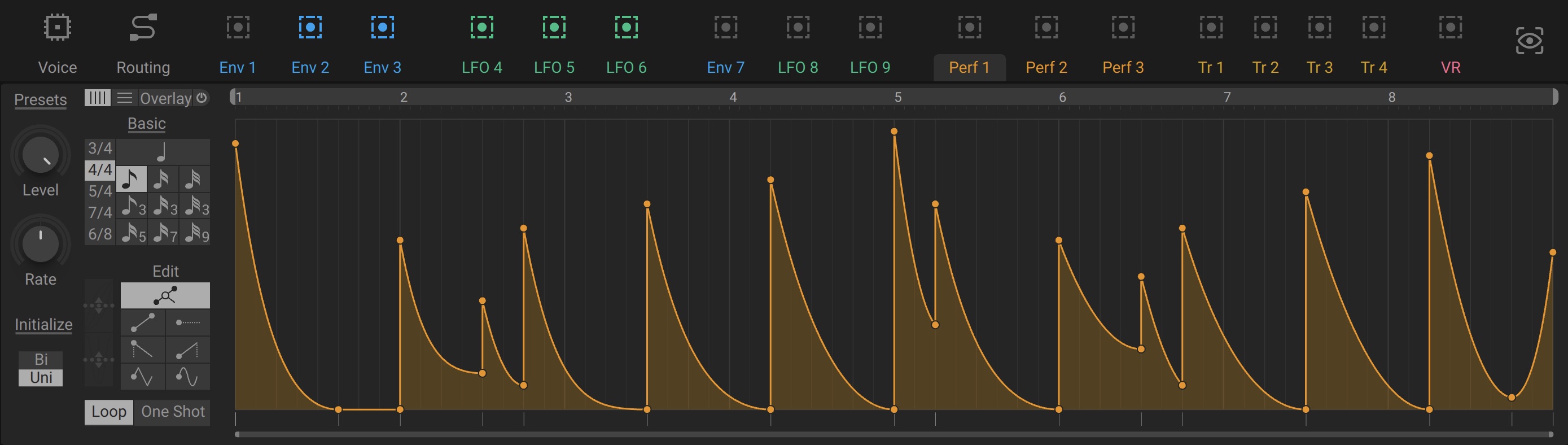
You can view and edit the Performers by clicking on their labels Perf 1, Perf 2, and Perf 3 in the Navigation bar. The Remote Octave bar lets you switch between patterns and access the Remote Octave view. You can find more information in Performers and Remote Octave.
Mutate
Inspired by the preset mutation feature in Native Instruments Absynth 6, Mutate lets you quickly come up with new sounds and patches based on the preset you have loaded by integrating modules and settings from other presets in your library.
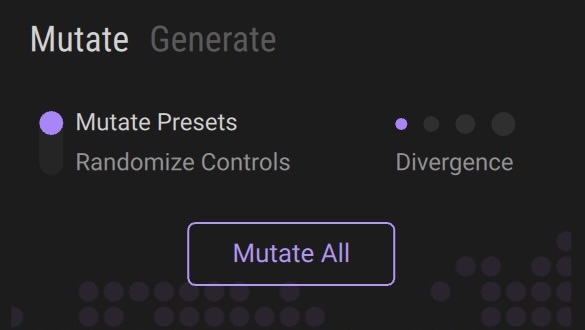 |
You can mutate all modules at the same time or individually. If you lock a module, it will be excluded from mutation even if you click Mutate All. You can find more information in Mutate.
Generate
Generate lets you create new presets from audio files. It uses an AI model developed by NI that analyzes your samples and recreates the sound for you by building a fully tweakable patch from scratch.
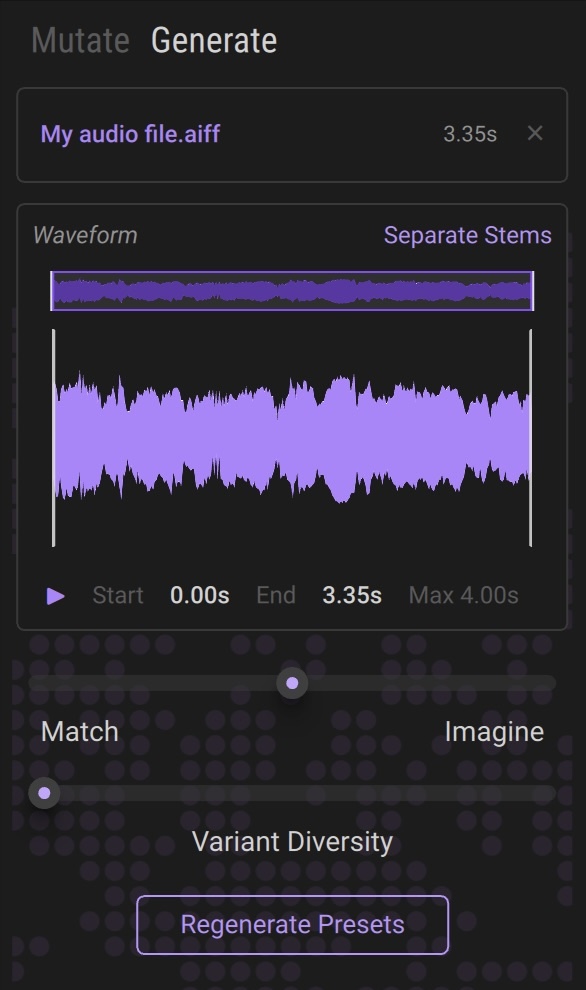 |
You can make preset generation closely Match the original sound, or give it creative freedom to Imagine new sounds. You can find more information in Generate.
Instrument structure
Massive XL is built on a flexible structure that enables modularity as well as optimized signal processing. It features both polyphonic and monophonic modules:
Polyphonic modules process every voice you play independently.
Monophonic modules process the sum of all polyphonic voices.
The following diagram shows the internal structure of Massive XL:
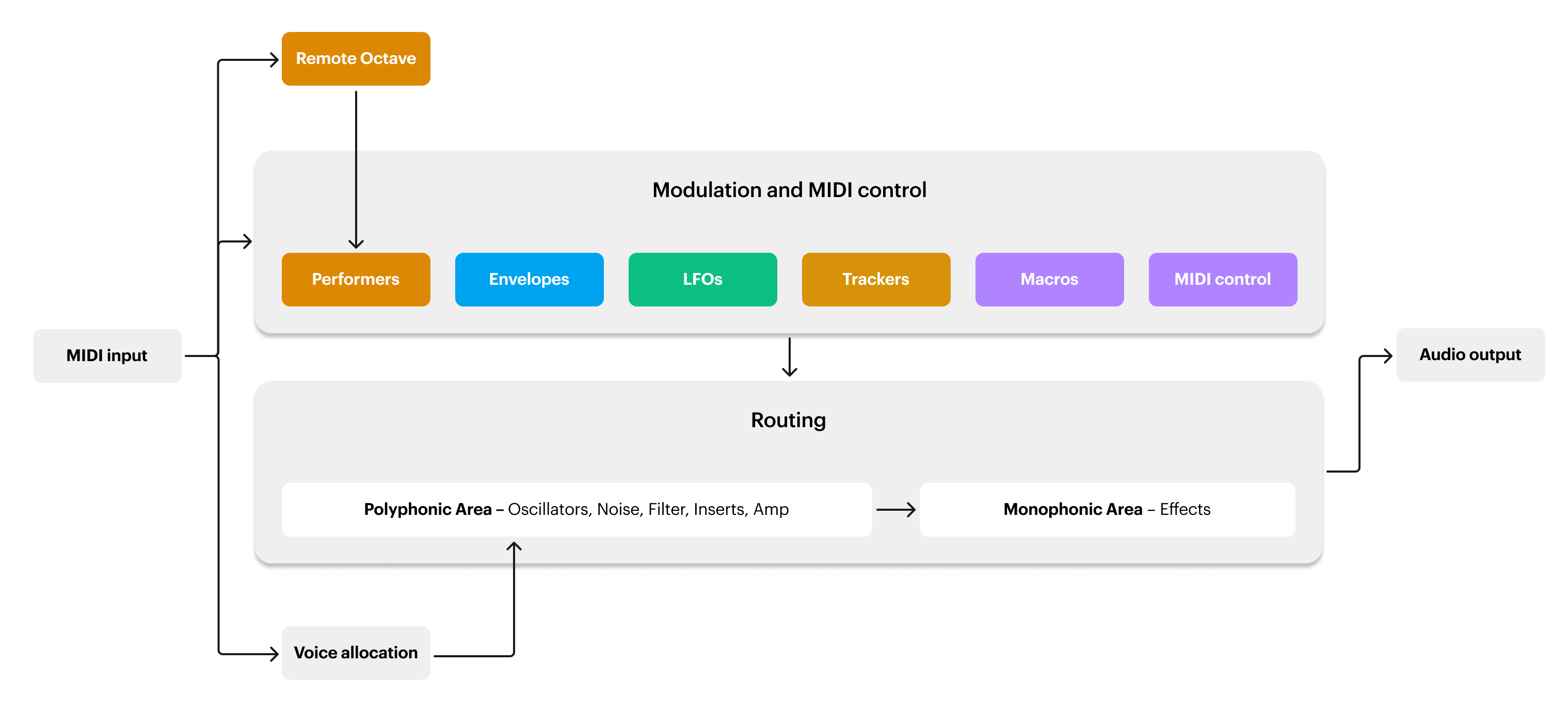
The Polyphonic Area contains the modular signal path of the polyphonic voices which make up your synthesis structure. You can freely arrange and connect the polyphonic modules including sound generators and processors on the Routing page.
The Monophonic Area contains the effect chain that is applied to the sum of all polyphonic voices. It includes three stereo effects that you can use to process the outputs of the polyphonic modules. You can route the outputs and choose from different configurations for the effects chain on the Routing page.
Modulation consists of Macros and Modulators that can be assigned to controls across the instrument. Modulators can be monophonic or polyphonic, depending on their type and selected mode, as well as the controls they are assigned to. Most Modulators respond to incoming MIDI notes. For example, note events are used to trigger envelopes and reset LFOs.
Voice allocation distributes the incoming MIDI notes across the available polyphonic voices. On the Voice page, you can manage the behavior of the voices, and transform the MIDI notes to create complex voicings and harmonic layers.
The Remote Octave provides dedicated control for the Performers, which are specialized sequencers for modulation. The Remote Octave maps incoming MIDI notes to key switches that you can use to access variations of the patterns used by the Performers.