Polyphonic aftertouch
Massive XL automatically detects polyphonic aftertouch and lets you modulate individual voices within a chord or melody using the keys on your keyboard.
Polyphonic aftertouch produces pressure data independently for every single key on a keyboard, letting you modulate individual voices within a chord or melody without affecting the others.
Massive XL automatically detects whether your MIDI keyboard sends regular aftertouch (channel pressure) or polyphonic aftertouch:
If regular aftertouch is received, the modulation is applied to all voices in the same way.
If polyphonic aftertouch is received, the modulation produced by each key is applied only to its associated voice.
By assigning Aftertouch to controls you can make your patch respond dynamically to the notes you play. You can assign both regular and polyphonic aftertouch from the Macro bar using the purple AT icon. Polyphonic aftertouch requires assignments to modulation slots, and does not work with 1:1 assignments. You can find more information about assigning Macros in Assigning Macros to multiple parameters.
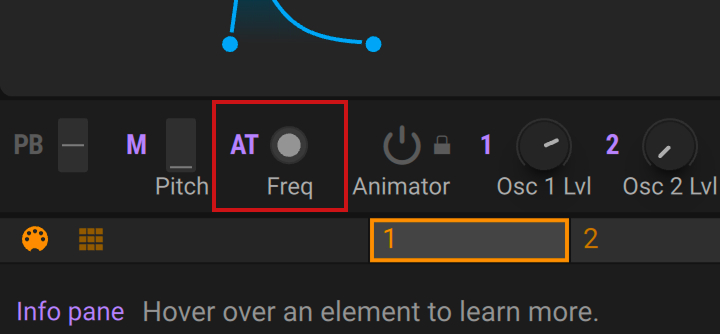 |
Aftertouch assignments apply to both types of aftertouch in the same way. Therefore, presets with existing Aftertouch assignments can be played using a MIDI keyboard that features polyphonic aftertouch without additional setup.
Polyphonic aftertouch only works when Polyphony is set to Poly on the Voice page, and when assigned to modules in the Polyphonic Area. The Performers are monophonic and therefore do not respond to polyphonic aftertouch.
Note
Editing Polyphonic aftertouch is not available in Massive XL Player.